
Everyone knows that the Mangal font is growing in today’s era in the Hindi typing sector. It is now widely used in government departments and private companies because of its compatibility and flexibility. Microsoft had named this project Bhasha India and developed it to contribute to the Hindi Community in the world. In this section, we will focus on how we can install and use the Mangal Font in our system.
Need to know more about Mangal Font, click here
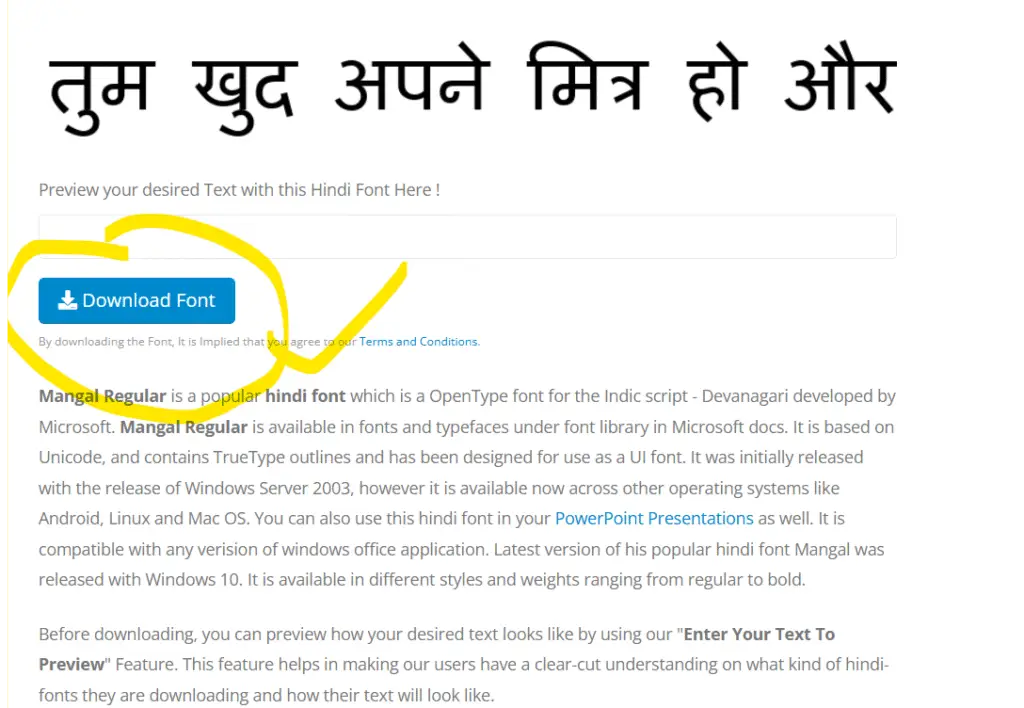
Download the Mangal Font
At first, you have to download the Mangal font online from here
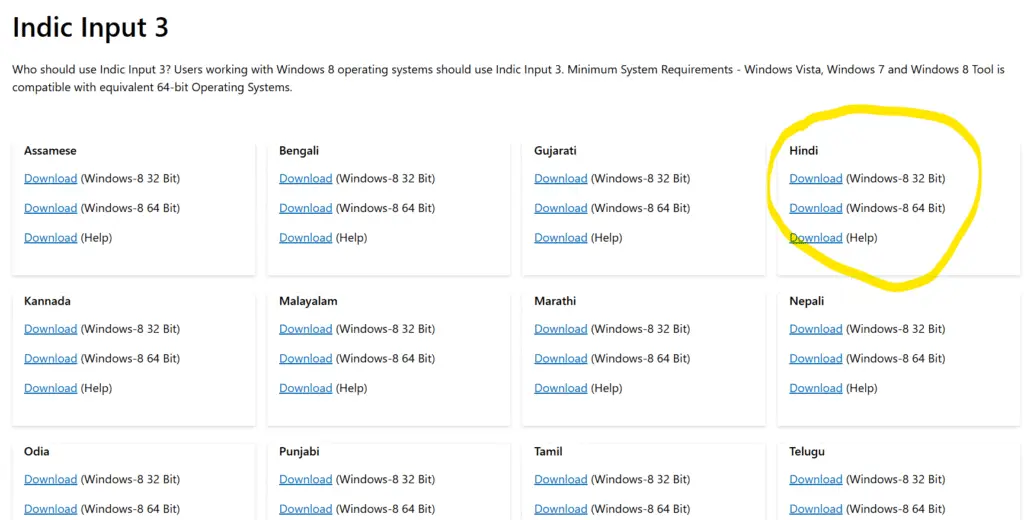
Download Hindi Indic Input 3
The Mangal Font is not only the upper layer of the text only but it also changes the layout and the internal key inputs. To handle those inputs we have to download Software called Indic Input 3, which is provided by Microsoft. You can download it from here
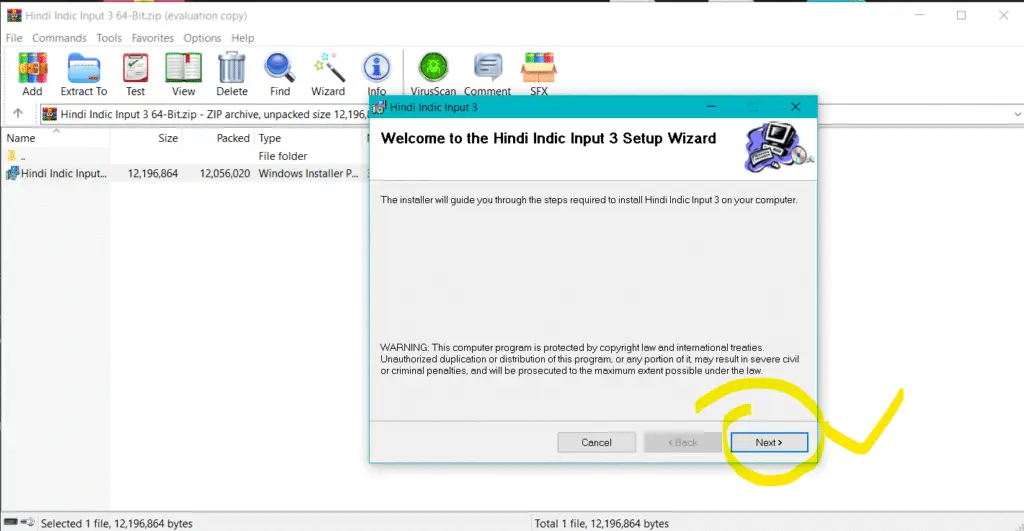
Install the Indic Input 3 and Mangal Font
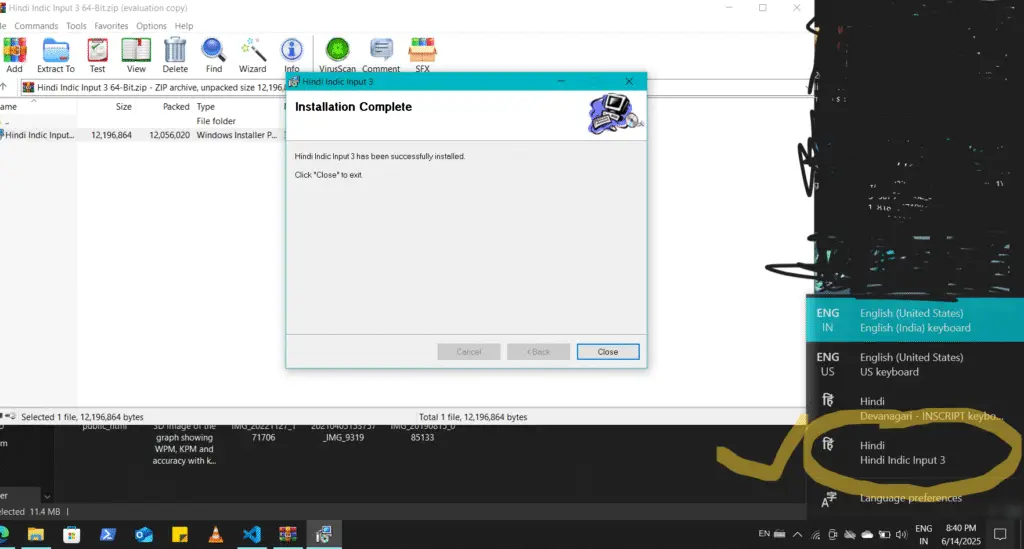
After downloading the software, just install it into your system and click next and next, and finish.
Then you will see the Indic input 3 in your language section with English.
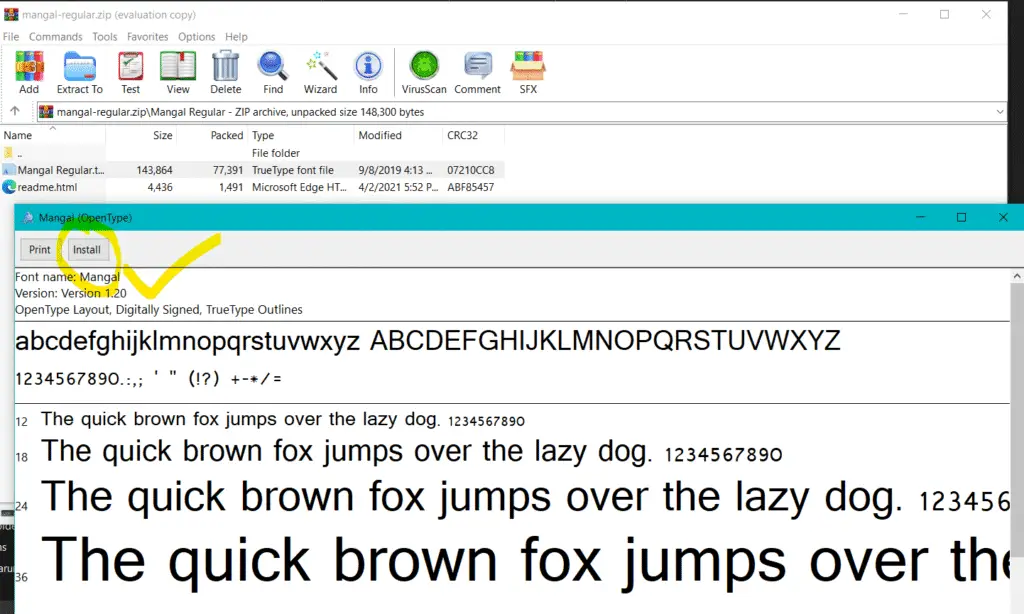
Now install the Mangal Font .ttf file which was downloaded previously.
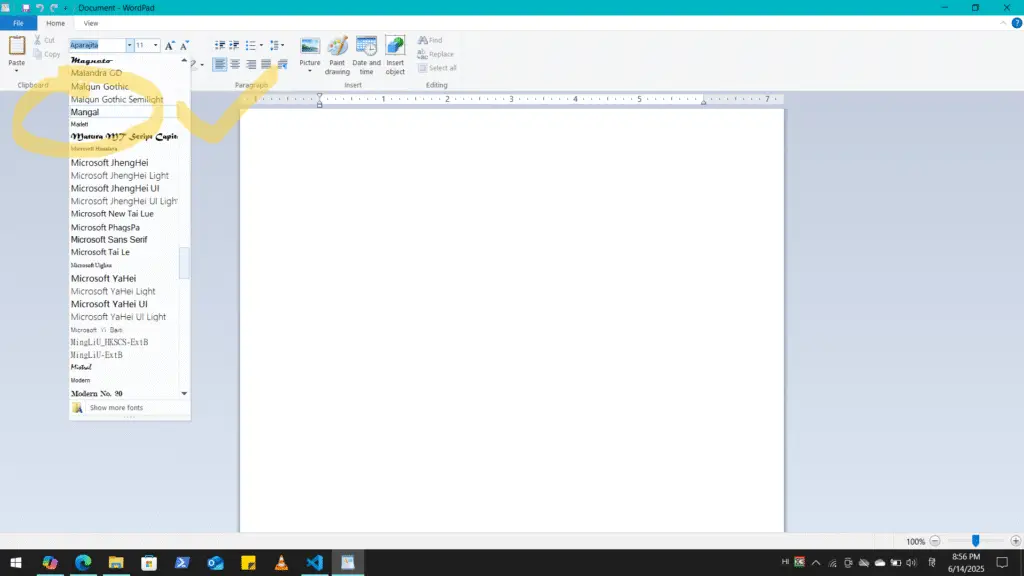
Here, you can type in Mangal Hindi Transliteration after selecting Mangal in Font and pressing left Alt + Shift.
If you don’t have the Hi and I3 logo in your notification area or
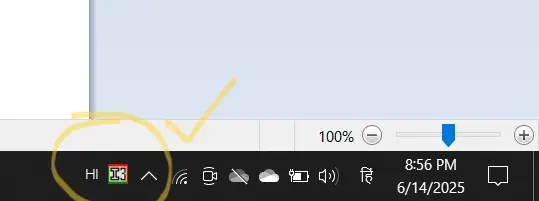
If you want to set the Remington GAIL or CBI layout with your Mangal font then follow next steps.
Set the keyboard Layout
search Language bar in the search box of the settings.
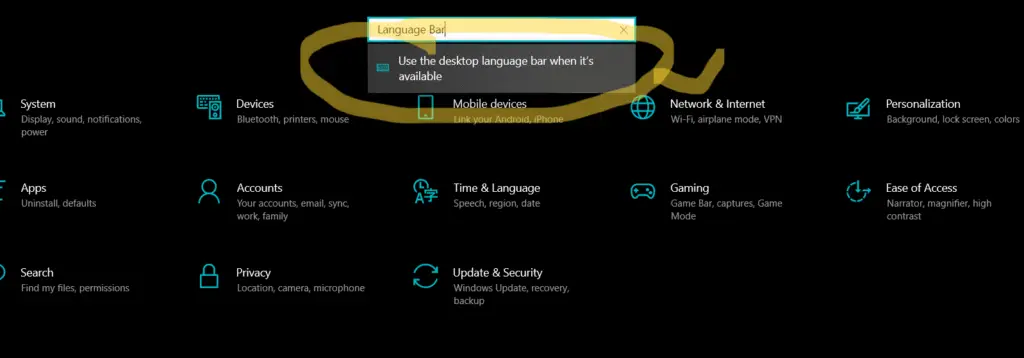
Select the desktop language bar
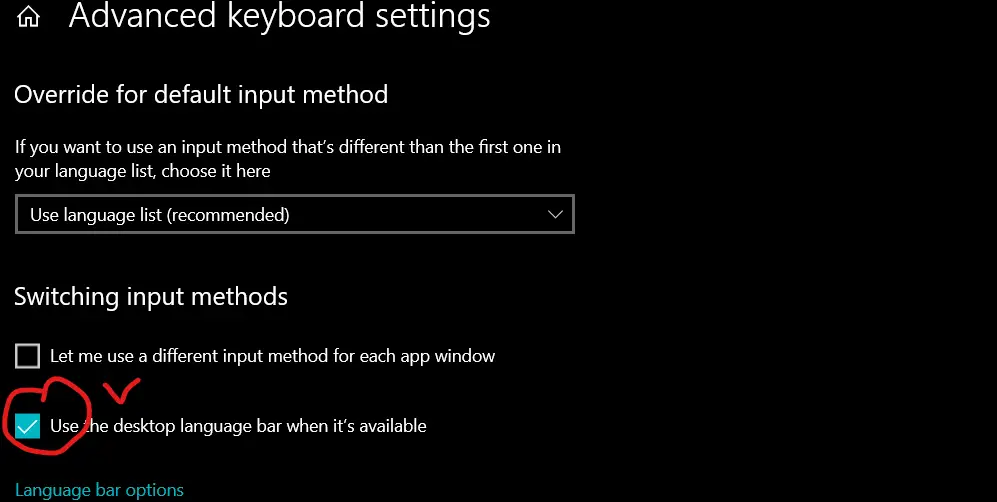
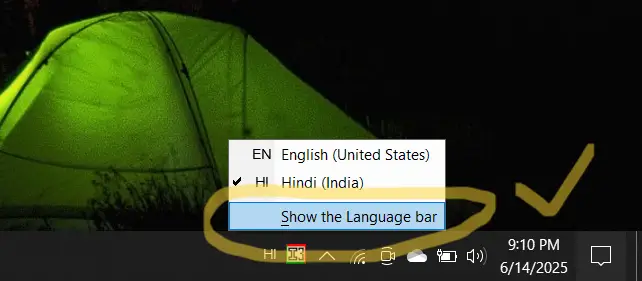
This is the time to open the language in the taskbar and select Hindi language, and open the language bar.
now open WordPad or MS Word and choose your Remington GAIL or CBI keyboard layout form setting of the bar.
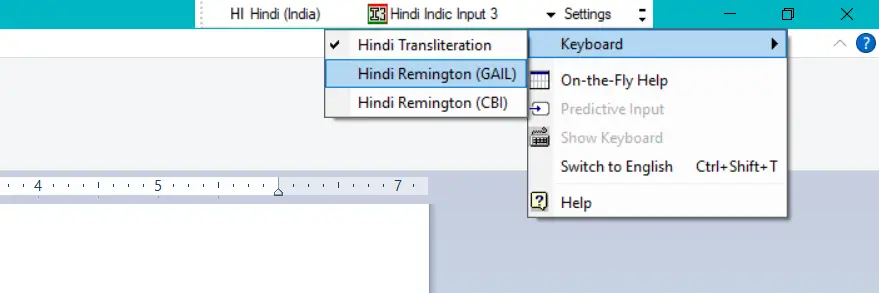
Now you are able to type in Mangal Font Hindi using any of the Keyboard Layout.
If you are still not able to set the font with actual setting the please follow the full video here
Conclusion
Mangal Font has become the gold standard for Hindi typing, offering universal compatibility, Unicode support, and ease of use across various platforms. Developed under Microsoft’s Bhasha India project, it has replaced older fonts like Kruti Dev, ensuring seamless text processing for government exams, official documents, and digital content.
Its cross-platform accessibility, smooth character rendering, and future-proof usability make it a vital tool for Hindi language computing. Whether you’re preparing for SSC, NTPC, RRB DEO exams or working in professional settings, mastering Mangal Font is an essential skill.
Leave a Reply